
After using Otter AI across 200+ meetings, including sensitive client calls and chaotic team standups, I've learned what the marketing materials won't tell you.
Otter AI offers a free tier with significant limitations. Safety is complicated—there's a 2025 lawsuit and privacy concerns worth understanding. This review covers pricing (including hidden costs), features that actually work, transcription accuracy, privacy issues, and alternatives I've tested.
How Does Otter AI Work?
- You connect your calendar to Otter AI
- The Otter AI meeting bot automatically joins scheduled meetings
- It records everything and sends audio to Otter AI's cloud servers
- You get a transcript, summary, and action items 2 hours later
I find bots intrusive. In practice, people become more guarded, speak less candidly, and conversation flows suffer.
Beyond the social awkwardness is technical dependency. Otter AI's bot requires stable internet connectivity and proper permissions. I've seen it fail to join meetings due to calendar sync issues, get kicked out by overzealous hosts, or simply not work with certain enterprise meeting configurations. When the bot doesn't join, you have no transcript and no backup recording happening locally. This is why I prefer bot-free meeting assistants.
What Platforms Does Otter AI Support?
Otter AI works with:
- Zoom (the most reliable in testing)
- Google Meet (occasional connection issues)
- Microsoft Teams (worked about 80% of the time)
- Mobile apps for iOS/Android (requires internet)
- Browser extensions
Otter AI requires constant internet connectivity. During a venue walkthrough with spotty WiFi, it captured 12 minutes of a 45-minute conversation. There's no offline mode.
What Languages Does Otter Support?
Otter AI transcribes only 3 languages: English, Spanish, and French.
For international teams, this becomes a dealbreaker. A weekly check-in with German partners means no Otter AI. A client call with Japanese stakeholders gets no transcription.
Otter Meeting Assistant Features & How I Would Grade Them
| Feature | Grade | Key Takeaway |
| Real-Time Transcription | B- | Works but inaccurate with accents/noise |
| Meeting Summary | B+ | Useful but generic for technical content |
| Slide/Screen Capture | A- | Brilliant feature, just watch your screen |
| Otter Chat / AI Assistant | C+ | Handles basics, fails at complexity |
| Speaker Identification | D | Consistently inaccurate, needs heavy editing |
| Channels & Workspaces | B | Functional organization, nothing special |
| Third-Party Integrations | B- | Surface-level, not deep automation |
| Calendar Integration | A | Flawless auto-join functionality |
| Mobile App | B- | Functional but requires internet |
| Search & Playback | B+ | Good core search, missing advanced filters |
| File Upload | C+ | Artificial limits to push upgrades |
| Export Options | B | Covers basics, missing customization |
| Vocabulary Customization | B | Helps with jargon, should be smarter |
| Collaboration | C+ | Basic comments, poor integration |
| Admin Controls | B | Standard features, nothing innovative |
1. Real-Time Transcription (Grade: B-)
Live transcription appears within 2-3 seconds of speech, which helps when following fast-paced discussions. Accuracy drops to 60-70% with background noise. Technical terms are consistently wrong ("Kubernetes" becomes "communitas"). It fails completely with heavy accents.
2. Meeting Summary (Grade: B+)
Otter.ai generates automated summaries broken into chapters with timestamps. Email summaries arrive within 2 hours (usually 45 minutes in my experience). The chapter breakdown makes long meetings navigable. Action item extraction catches about 70-80% of commitments.
The frustration: summaries for technical discussions turn generic. "The team discussed system architecture" instead of actual details. Nuanced decisions in complex strategy calls get missed, and there's no way to customize summary format or depth.
3. Slide and Screen Capture (Grade: A-)
The automatic screenshot feature worked surprisingly well. During product demos, it captured 90% of slides without manual input. Visual context embedded in transcripts saved me hours when reviewing what was actually shown versus what was said.
One caution: it captures everything on screen, including private Slack messages or emails if you forget to pause screen sharing. I almost leaked internal metrics to a client once.
4. Otter Chat / AI Assistant (Grade: C+)
The AI assistant handles basic questions like "What were the main action items?" reasonably well. It struggled with technical terminology. "What did John say about API latency?" returned a generic response. Cross-meeting insights failed entirely. "How has our timeline changed over the past month?" couldn't be answered. When I asked it to draft an email about three specific action items, I got a generic template instead.
5. Speaker Identification (Grade: D)
Speaker identification is Otter.ai's weakest feature. In a 10-person team meeting, it misidentified speakers 30% of the time and confused two people with similar voices throughout, requiring 15 minutes of manual correction afterward. Even in simple two-person calls, it occasionally attributed my words to the other person. For meeting minutes you'll actually share, plan on extensive editing.
6. Otter Channels & Workspaces (Grade: B)
Team collaboration features worked adequately for organizing meetings by project. I created separate channels for client work (private), internal strategy (public to team), and all-hands meetings (public). The permissions system is straightforward, though not as flexible as some Otter.ai alternatives.
7. Third-Party Integrations (Grade: B-)
Otter.ai connects with 20+ tools: Salesforce (worked, but sync delays), HubSpot (reliable CRM integration), Slack (good for sharing summaries), Notion (basic export only), and Asana (manual linking required).
Alternatives like Fireflies offer deeper CRM integration and workflow automation.
8. Calendar Integration (Grade: A)
Otter.ai nails calendar integration. It detected 98% of scheduled meetings, joined automatically without manual intervention, and updated meeting details if the calendar changed. Truly set-it-and-forget-it functionality.
One minor issue: it occasionally joined recurring meetings I'd removed from the series.
9. Mobile App Recording (Grade: B-)
Recording in-person meetings from phone works, and transcripts sync across devices. It requires an internet connection (can record offline but won't transcribe until online), causes significant battery drain during long recordings, and the UI feels cramped for editing transcripts. You'll want to review and edit on a desktop.
10. Search & Playback (Grade: B+)
Keyword search across hundreds of meetings is fast. Clicking any word in the transcript jumps audio to that moment. Variable playback speed (1.5x-2x) saved tons of review time. Advanced search operators are limited. You can't search "phrase in quotes AND keyword," and there's no way to filter by meeting duration, participant count, or date range easily.
11. File Upload & Transcription (Grade: C+)
Upload pre-recorded audio or video files for transcription. The problem: the free plan gets 3 lifetime uploads (then done forever), the Pro plan gets 10 uploads per month, and unlimited is locked to the Business tier. Having "lifetime limits" on a free tier is absurd. Ten per month on a $17/month plan feels stingy. This should be unlimited on Pro.
12. Export Options (Grade: B)
Exports to plain text, Word document, PDF, SRT subtitles, and JSON. PDF formatting is clean and professional. SRT files worked in Premiere and Final Cut.
Missing: direct export to Google Docs, customization options (remove speakers, keep only summary), and bulk export capability.
13. Vocabulary Customization (Grade: B)
Add custom words for better transcription accuracy with company names, product names, and technical terms. After adding "Kubernetes," "PostgreSQL," and "Supabase," accuracy improved 10-15% for jargon-heavy meetings.
However, I had to manually add every term (no bulk upload), and it sometimes ignored custom vocabulary anyway.
14. Live Collaboration & Comments (Grade: C+)
Team members can comment on transcripts at specific timestamps and @mention others for follow-up. It works for basic collaboration, but comments don't integrate with task management tools, there's no way to mark comments as resolved, and notifications become overwhelming with active teams.
15. Admin Controls & Analytics (Grade: B) (Business/Enterprise Only)
See who's using minutes to prevent overages, manage user permissions, and view usage reports by department. This catches power users and helps deactivate former employees' access.
Analytics are superficial though (just usage, not meeting quality metrics), and you can't set per-user or per-team minute limits.
Is Otter AI Safe?
Otter AI's security became a major concern following a federal class-action lawsuit filed in August 2025 and multiple user incidents. The case, filed in the U.S. District Court for the Northern District of California, alleges that Otter "deceptively and surreptitiously" records private conversations without proper consent.
Legal and Privacy Concerns
The lawsuit centers on allegations that Otter's bot automatically joins meetings without obtaining consent from participants. If a meeting host has integrated their calendar with Otter, the system may join meetings without alerting attendees that conversations are being recorded and shared with Otter for AI training.
Real-world incidents have highlighted these privacy issues:
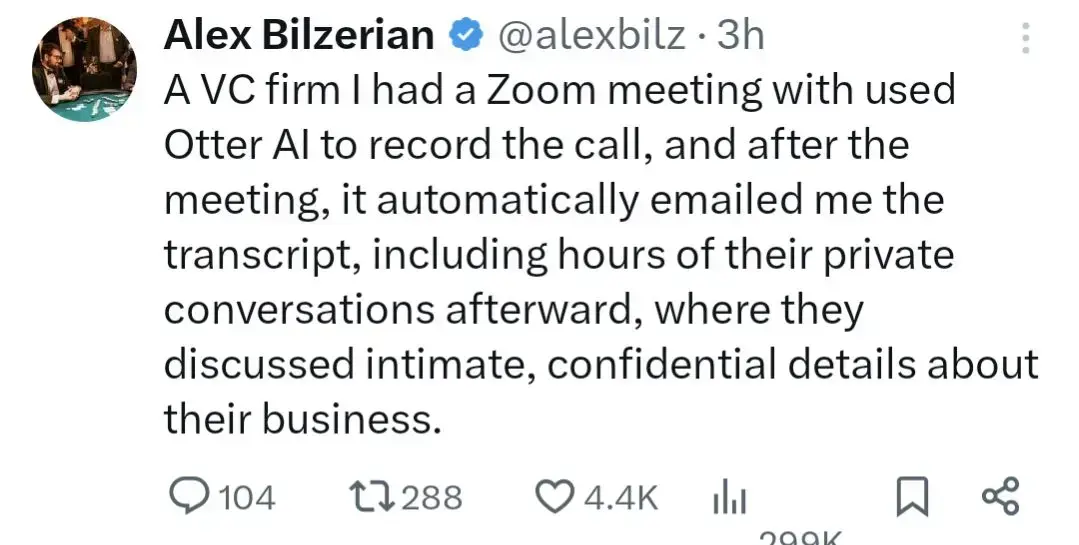
- Corporate data leaks where sensitive VC meetings were inadvertently shared with external parties
- Job interview recordings captured without candidate knowledge
- Unauthorized access to confidential business discussions
Data Collection and Usage
Otter's privacy policy reveals extensive data collection practices beyond simple transcription. The company admits to using customer data for AI training:
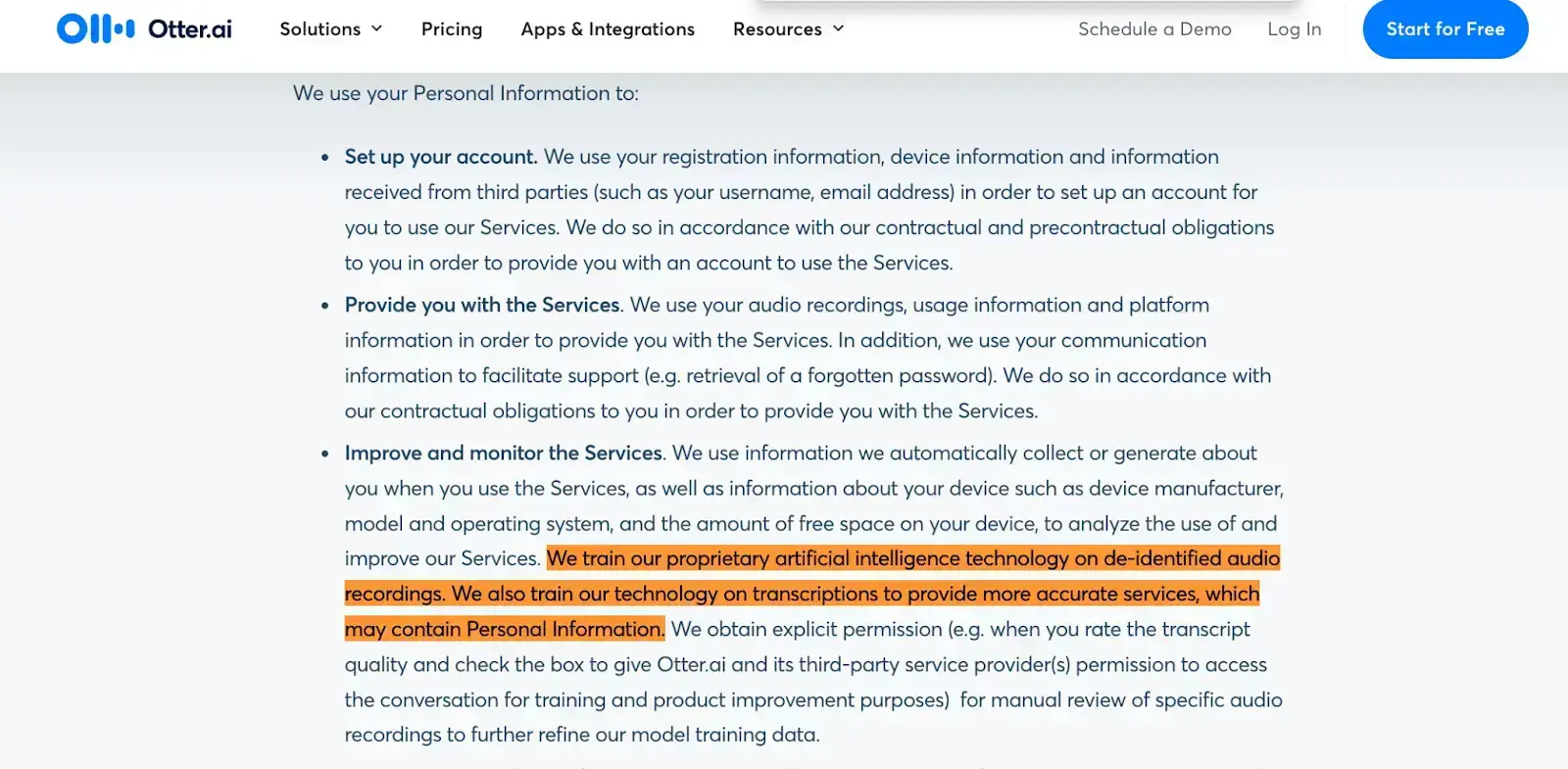
"We train our proprietary artificial intelligence technology on de-identified audio recordings. We also train our technology on transcriptions to provide more accurate services, which may contain Personal Information." - Otter AI
The service shares personal information with multiple third-party processors, including cloud service providers, data labeling services, and AI backend providers. This creates potential exposure points that many users may not realize they're accepting.
Enterprise Security Considerations
Organizations in regulated industries face particular risks. Individual employee adoption of Otter can create company-wide data exposure. The service collects extensive metadata including usage patterns, device information, and location data, which may conflict with enterprise security policies.
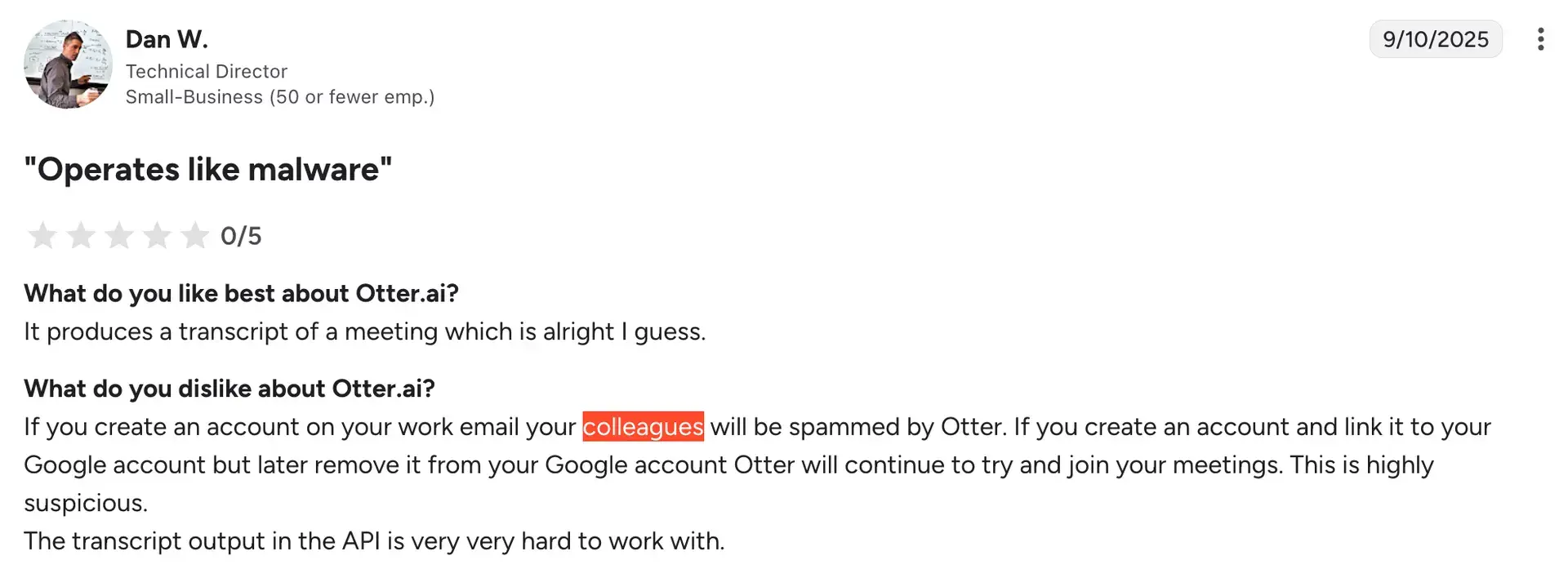
Some IT security professionals have compared Otter's behavior to malware-like characteristics. Otter automatically sends workspace invitations to colleagues on users' behalf and shares meeting transcripts with external participants without explicit authorization. This can spread throughout organizations before users realize what's happening.
For a detailed analysis of these security concerns and documented incidents, see ++Is Otter AI Safe: What You Need to Know++.
How Much Does Otter AI Cost
Otter AI offers several pricing tiers:

Otter AI free plan features:
- 300 monthly transcription minutes (5 hours total)
- 30 minutes per conversation maximum
- 3 lifetime audio file imports
- 25 most recent conversations stored
- Basic speaker identification
- AI Chat (20 queries/month)
- Integration with Zoom, Teams, Meet, Slack
After three weeks of daily meetings, I hit the 300-minute limit. I had to choose which meetings to transcribe for the rest of the month. The 30-minute per-conversation cap is particularly painful. Long strategy sessions required restarting the recording, breaking the transcript into chunks.
Otter AI's free tier works only if you average 1-2 meetings per week. For daily meeting participants, you'll need to upgrade within a month.
Otter AI Pro Plan
Price: $16.99/month billed monthly, $8.33/month if annual commitment
What's included:
- 1,200 monthly minutes (20 hours)
- 90 minutes per conversation
- 10 monthly file imports
- Advanced search
- Export capabilities
- Priority email support
Otter AI Business Plan
Price: $40/month billed monthly, $19.99/month if annual commitment
What changes:
- 6,000 monthly minutes (100 hours)
- 4-hour conversation limits
- Unlimited file imports
- Usage analytics
- Admin controls
- Centralized billing
For a 10-person team:
- Monthly cost: $400/month ($4,800/year)
- Annual commitment: $200/month ($2,400/year)
Otter AI Enterprise Plan (Custom)
Price: Contact sales for quote (for roughly 50 seats, expect around $25k annually)
What's included:
- Unlimited transcription
- HIPAA compliance options
- Advanced security
- SSO
- Dedicated support
- Custom legal terms
How Costs Add Up
The pricing structure creates multiple pressure points. Heavy users quickly exhaust even the Business tier's 6,000-minute limit (100 hours/month). Teams face escalating per-user costs.
The annual discount of 51% pressures users into longer commitments before they fully understand the service's privacy implications or workflow integration challenges.
Enterprise pricing remains opaque with custom quotes. Organizations needing HIPAA compliance or advanced security features face potentially much higher rates than the published tiers suggest.
What Users Think About Otter AI?
Based on reviews from G2, TrustPilot, Product Hunt, and Reddit:
What Users Love
- Hands-free meeting participation - Users focus entirely on conversations without taking notes, leading to more engaging and productive discussions
- AI-powered insights - The ability to ask questions about past conversations and generate follow-up emails or summaries from recorded content
- Single source of truth - All meeting recordings and summaries in one organized, searchable location
- Time-saving features - Automated slide capture, timestamped transcriptions, and playback speed controls for efficient review
- User-friendly interface - Intuitive dashboard that's welcoming to new users with easy navigation and organization
What Could Be Better
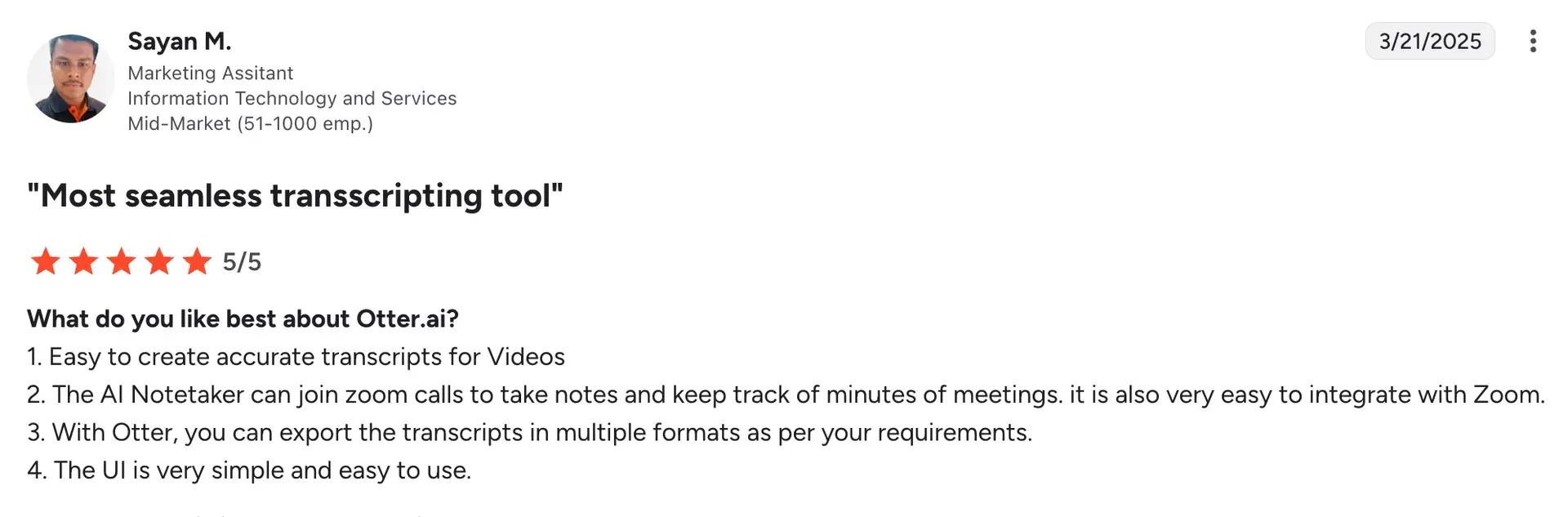
- Transcription accuracy issues - Frequent speaker misidentification even in simple two-person calls, struggles with accents, technical terms, and produces summaries requiring extensive manual editing
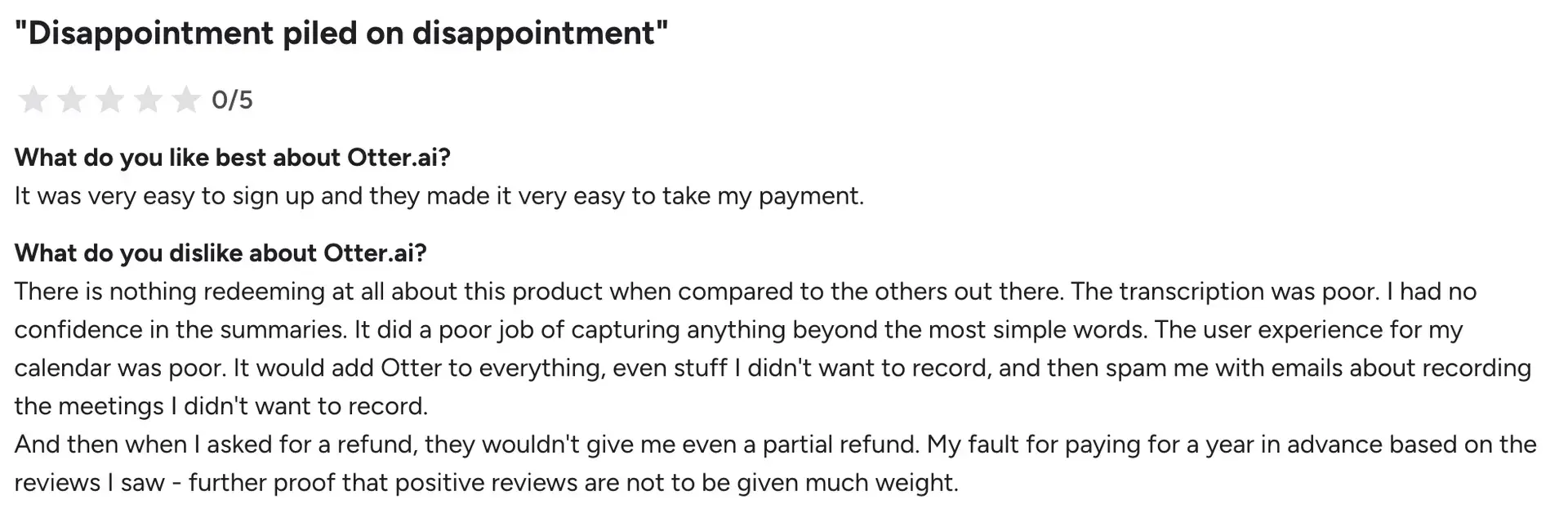
- Unauthorized and invasive behavior - Automatically sends workspace invitations to colleagues without permission, joins meetings without proper consent, and shares transcripts with external participants unexpectedly
- Lacking customer support - Extremely slow response times, rare issue resolution, no phone support, and unresponsive account management
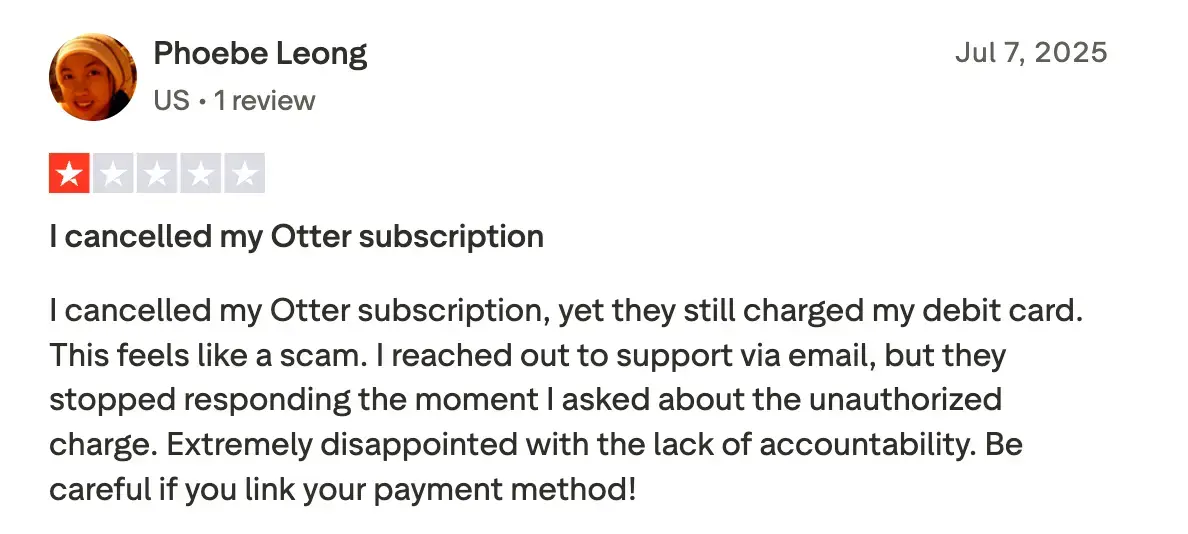
- Account management nightmares - Difficulty canceling subscriptions, fake account deletion (accounts remain active despite appearing deleted), unexpected billing charges, and unauthorized seat upgrades

- Billing and subscription traps - Misleading plan differences (Business plan removes features available in Pro), non-refundable policies even for legitimate complaints, and automatic renewals that are difficult to cancel
- Internet dependency - Requires constant connectivity. Slow speeds or outages cause delays and data loss if recordings drop. The service becomes completely unavailable offline when needed most.
Top Otter AI Alternatives - Quick Comparison
Here's how Otter AI stacks up against competitors:
| Tool | Best For | Starting Price (monthly) | Key Advantage |
| Char | Data ownership and AI flexibility | Free forever. Pro from $8/month | Local storage. Choose your AI provider. |
| Fireflies.ai | Team collaboration | Free plan available. Paid from $10/user/month | 69+ languages supported |
| Rev | High accuracy needs | Pay-per-use: $0.25/min AI, $1.99/min human | Human + AI transcription |
| Fathom | Sales teams | Free plan available. Teams from $18/user/month | CRM integrations |
| Notta | Multilingual teams | Free plan available. Paid from $13.49/user/month | 58 languages supported |
| MeetGeek | Analytics focus | Free plan available. Paid from $15.99/user/month | Advanced meeting insights |
| Tactiq | Chrome users | Free plan available. Paid from $20/user/month | Browser extension |
| Dialpad | Communication platforms | From $15/user/month | Unified communications |
| Avoma | Revenue teams | From $29/user/month | Conversation intelligence |
| Grain | Video-first teams | Free plan available. Paid from $19/user/month | Video highlights |
| Sembly AI | Task management | Free plan available. Paid from $17/user/month | AI task extraction |
| Descript | Content creators | Free plan available. Paid from $16/user/month | Audio/video editing |
| Jamie AI | Bot-free EU teams | Free plan available. Paid from €25/user/month | GDPR compliance & offline capability |
| tl;dv | Video-first teams | Free plan available. Paid from $29/user/month | Unlimited video recordings & clips |
See ++detailed reviews of all Otter AI competitors++.
What Is The Best Otter Alternative?
Char is the best Otter AI alternative if you want complete control over your data and AI stack. It's the only AI note-taker that stores your data locally and lets you choose your preferred STT and LLM provider. You can use the managed cloud service or bring your own key (cloud or local) and switch anytime.
You get all the core AI note-taking features—transcription, summaries, search—without sacrificing control.
Frequently Asked Questions
1. Is Otter.ai free or paid?
Otter.ai offers a free plan with 300 monthly minutes (5 hours) and a 30-minute limit per conversation. For regular users, paid plans are necessary: Pro at $16.99/month ($8.33/month with annual commitment) includes 1,200 minutes. Business costs $30/month ($19.99/month with annual commitment) and includes 6,000 minutes.
2. Does Otter.ai sell my data?
Otter.ai doesn't explicitly "sell" data, but their privacy policy states they use customer conversations to train AI models and share data with third-party processors. For sensitive discussions, consider local-first alternatives like Char.
3. What are Otter.ai free plan features?
The free plan includes 300 monthly minutes, 30-minute conversation limit, 3 lifetime file imports, live transcription, basic speaker identification, and AI Chat with 20 queries/month. You keep only your 25 most recent conversations—older ones disappear. For comparison, alternatives like Char and Fathom offer unlimited free transcription.
4. Can Otter.ai transcribe in languages other than English?
Otter.ai supports only 3 languages: English, Spanish, and French. This is a major limitation compared to competitors.
5. What are the best alternatives to Otter.ai?
Char (best for privacy with local-first processing), Fireflies (69+ languages for global teams), Fathom (unlimited free tier), Rev (99% human accuracy), and Jamie AI (offline + GDPR compliance).
6. Is Otter.ai worth it for teams?
Otter.ai works for basic English-language meeting documentation if you're comfortable with cloud processing. For a 10-person team, costs run $200-400/month. However, it offers only 3 languages, has significant privacy concerns, requires constant internet, and transcription accuracy needs editing.


